Delete an Account
You can delete an account (e.g. my_project) or your profile (e.g. <name@example.org>, the my_project account owner).
In the first case, go to the Subscriptions menu and click on the trash for the account to delete.
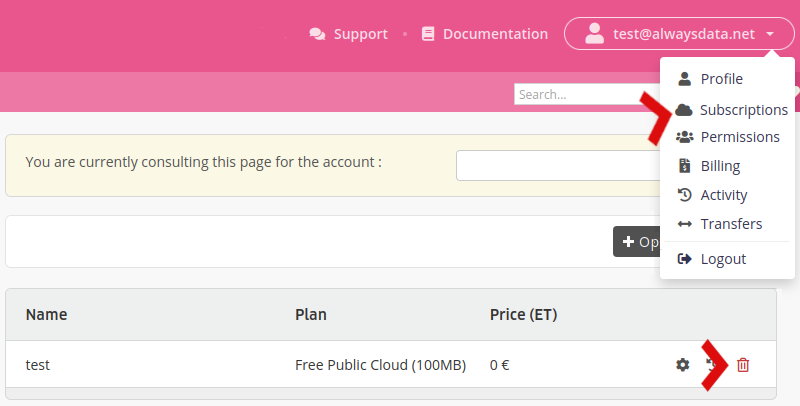
This will delete all of the domains, e-mail addresses, websites, files, databases (…) linked to this account.
Note
Only the account owner can perform this action. Furthermore, no refunds are provided for early deletion.