Using CardDAV and CalDAV
Each email address has its own address book and calendar. Users can access and manage them from the software of their choice and on multiple software simultaneously.
| Service | Hostname |
|---|---|
| CardDAV (address book) | carddav-[account].alwaysdata.net |
| CalDAV (calendar) | caldav-[account].alwaysdata.net |
| Identifier: email address and its password |
Note
You need to replace [account] with the name of your account, the one chosen when it was created.
Sharing is not available.
Webmail
The address book is directly accessible via the Contacts menu and the calendar in the Calendar menu.
The groups created are transformed by the system as independent vCards ensuring simple synchronization with other CardDAV clients.
Import your address book
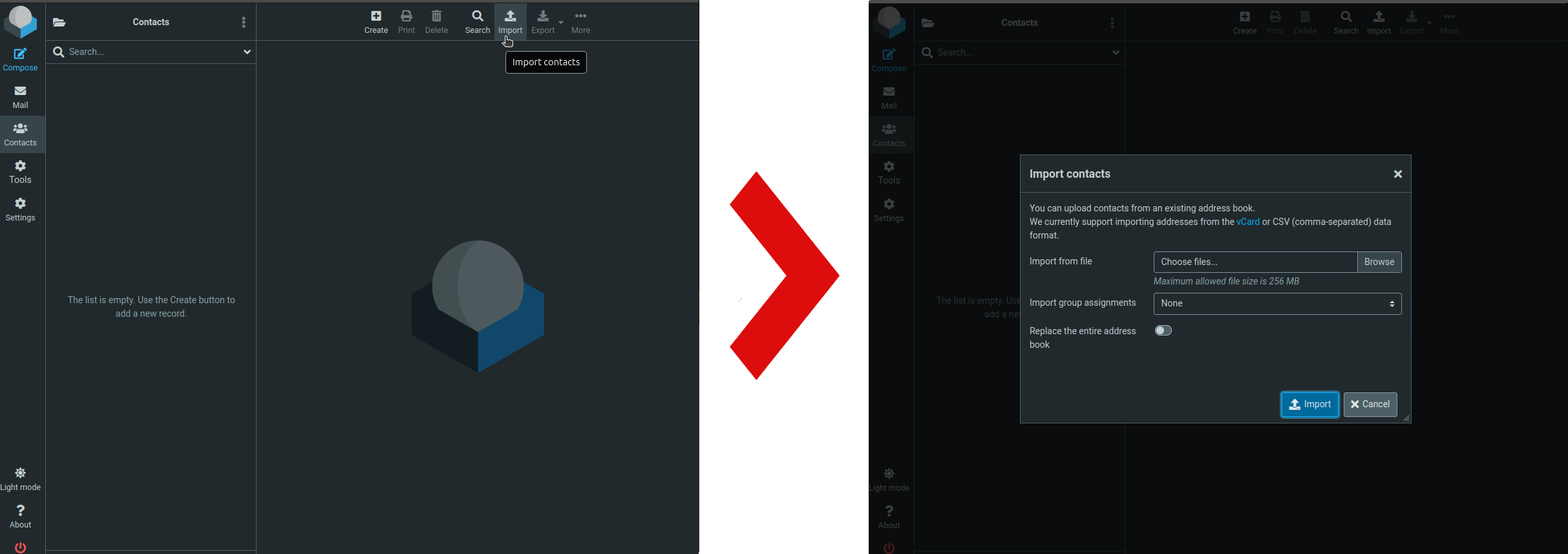
Roundcube allows importing addresses from CSV or vCard files. Go to Contacts > Import.
Implementation on various applications
Mozilla Thunderbird
Address Book
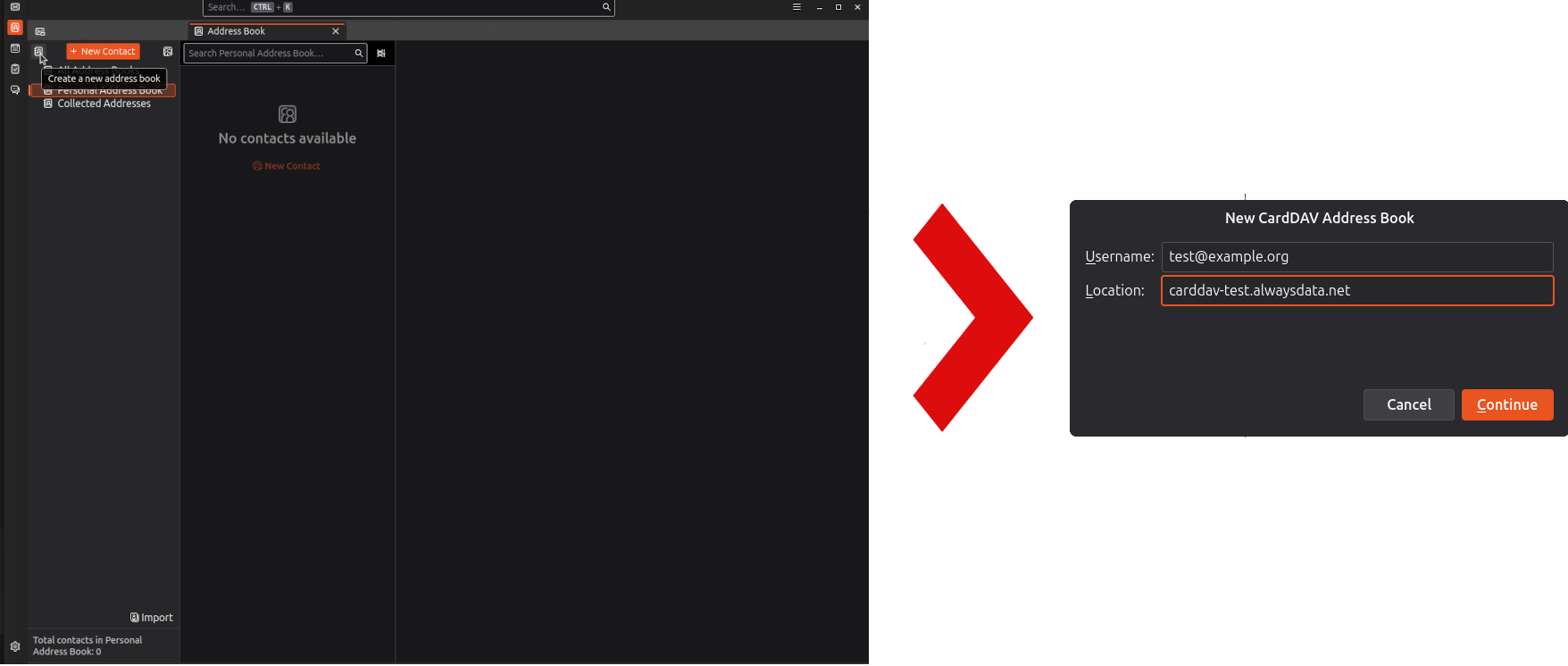
Go to Address Book > Create a new address book > Add a new CardDAV address book
Calendar
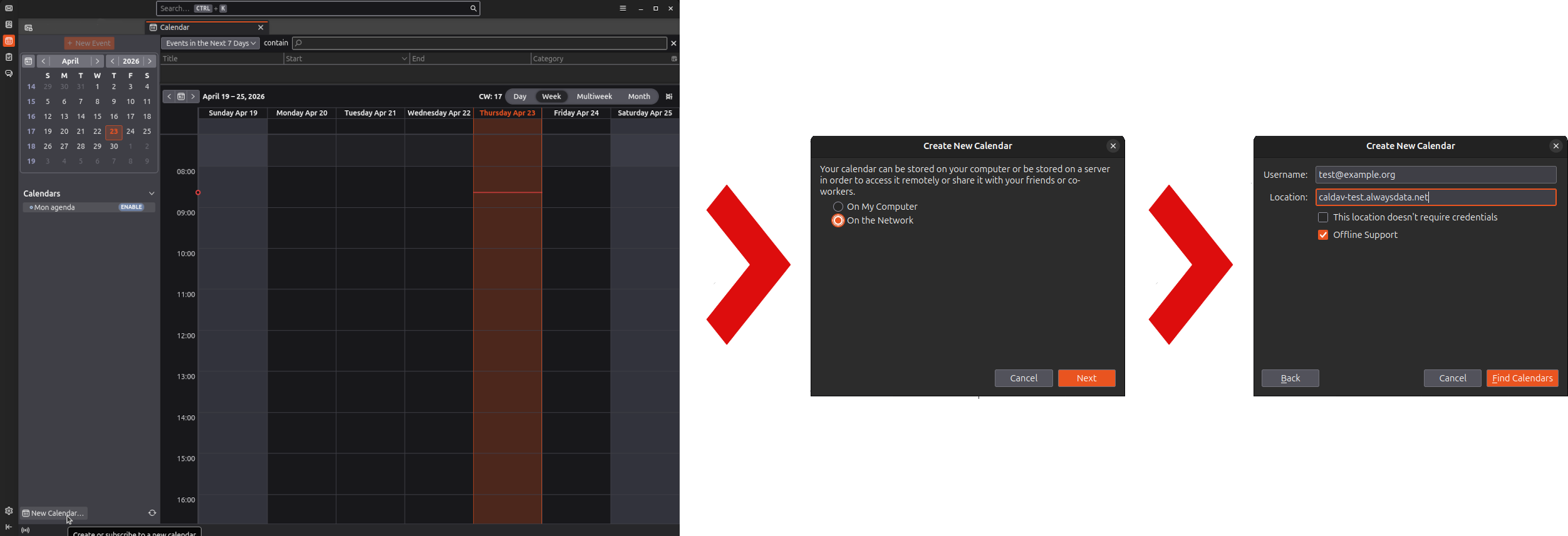
Go to Calendar > New Calendar… > On the Network > Find Calendars
DAVx5 (Android application)
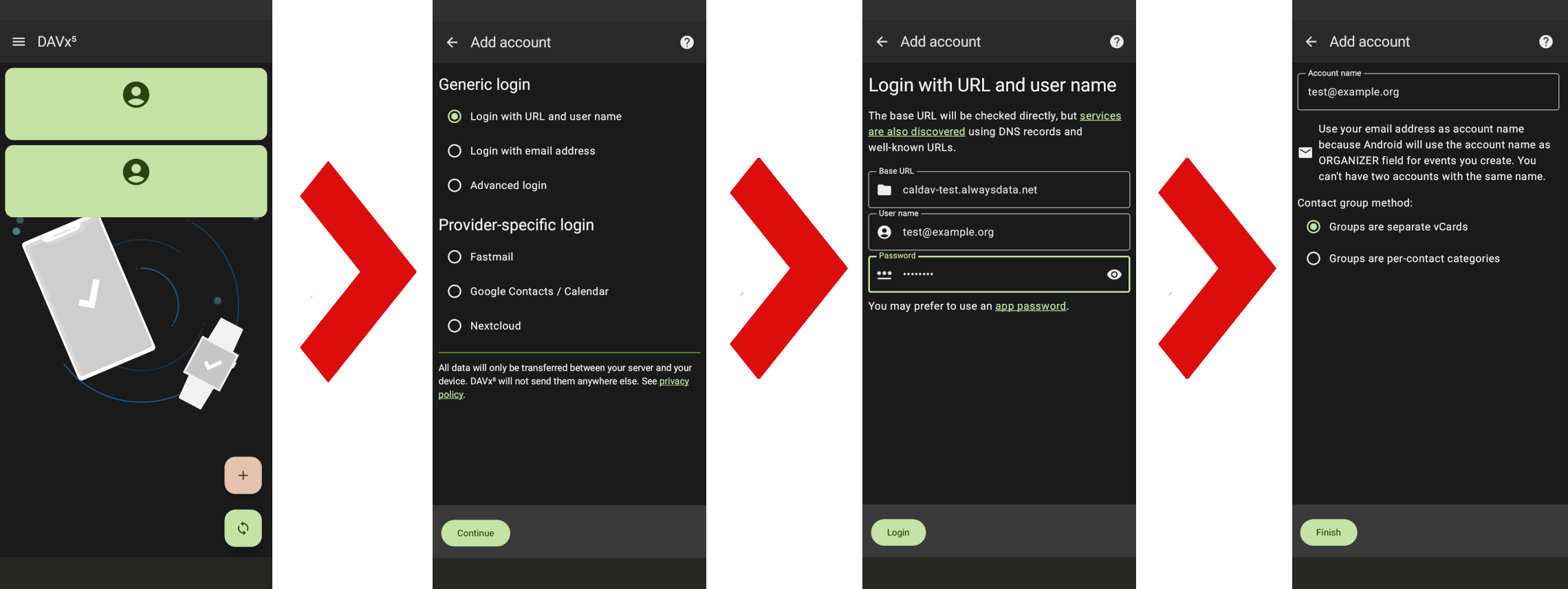
Go to Add an account ➕ > Generic login (Login with URL and user name)