
Buying a Domain
-
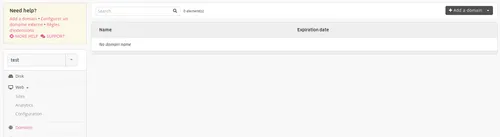
From your administration interface, go to Domains > Add a domain,
-
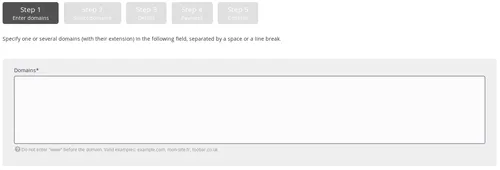
Fill-in the domain names that you wish to buy,
Note
Enter the domain only, without the subdomain. For example: example.org and not www.example.org.
-
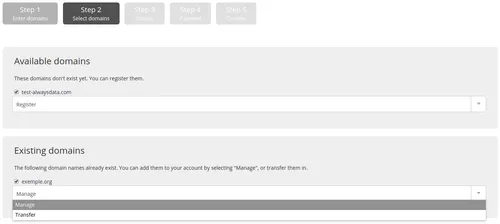
Choose save. Buy may not be offered: when the domain already exists, if alwaysdata does not handle the extension, if the domain is already recorded for another alwaysdata account, etc.
-
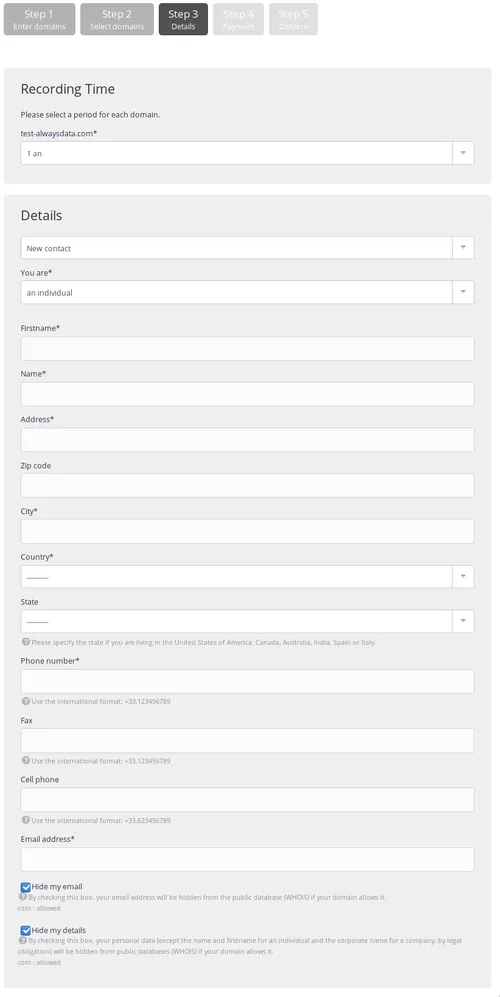
Choose the existence duration for the domain. It may be renewed again later on, and
-
Enter the owner’s contact information. This information depends on the extension taken.
Note
The domain will be created a few minutes after payment.
What domain extension should I choose?
There are many extensions available. Some are geographic and attached to a country or an institutional area, others are generic ones. The extension you choose will depend on your requirement, your budget, as well as the owner’s nationality.