
FTP
FTP, for File Transfer Protocol is a protocol for sharing files on a distant network.
Connecting with FTP
| Information | |
|---|---|
| Host | ftp-[account].alwaysdata.net |
| Port | 990 (SSL/TLS) |
| Alternative port | 21 (STARTTLS) |
| Identifier | assigned user ([account]) and password |
These users can be configured in the Remote access > FTP tab in your alwaysdata administration interface.
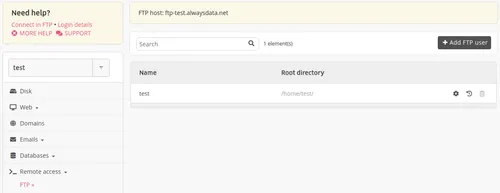
The maximum number of simultaneous connections per user is 10. On request, it is possible to change this in Private Cloud environments.
.ftpaccess
It is possible to create .ftpaccess files to modify the FTP configuration of the relevant files.
Example: To block access to read only to one user
Create a .ftpaccess at the root of the file with the following directive:
<Limit WRITE>
DenyUser [utilisateur FTP]
</Limit>
Miscellaneous
The port range used for passive mode is 53000-53999.
- FileZilla: free FTP client