
Transferring Internally a Domain
This article explains how to transfer a domain and its email addresses to another alwaysdata account.
-
From the Domains menu in the initial account,
-
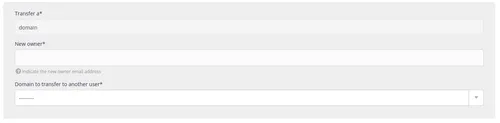
Choose the Transfer to another account action,

-
And follow the steps.
Note
Only the account owner can initiate a transfer.
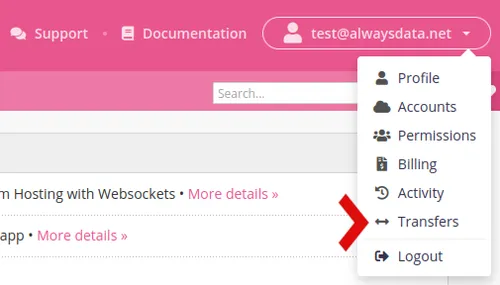
The destination profile needs only to accept it from the Transfers section and wait until the mailboxes copy to their account. As this action depends on the size of the mailboxes, this may take time.
Tip
To move a domain to an account belonging to the same profile with which you are connected, simply enter your email address.