
Editing Apache Configuration
Apache2.4 is available on our servers. To add global directives to your Apache configuration go to Web > Configuration > Apache.
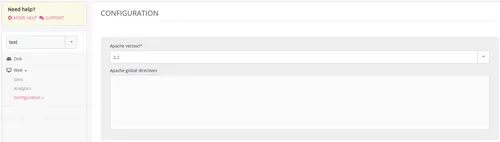
All of the modifications made in the Apache global directives field will impact the /home/[account]/admin/config/apache/sites.conf file. Apache error logs are available in file /home/[account]/admin/logs/apache/apache.log. An extract of these logs is presented in the administration’s interface (Logs - 📄).
Apache serves PHP, Static Files and Custom Apache websites.
Installing a module
Once the .so file is compiled and added to your file space, insert this line into the global directives:
LoadModule <MODULE> /home/[account]/path/to/module.so