
SFTP
SFTP, the SSH File Transfer Protocol, is used to secure an FTP transfer by passing through an SSH tunnel. Consequently, users can use a simple graphic interface via the FTP client of their choice.
Connecting with SFTP
From Remote access > SSH/SFTP allow your SSH user password connection permission.
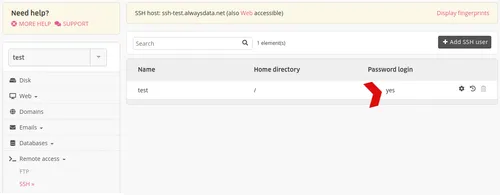
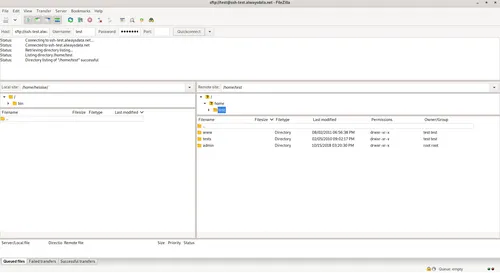
Then from your FTP client, fill-in the SSH connection information. Let us take the following example and the FileZilla FTP client:
- user:
[account] - password
- hostname:
ssh-[account].alwaysdata.net - port:
22
Miscellaneous
Users with the SFTP only shell are chrooted. This shell does not allow access to the directories /home/[account]/admin/mail and /home/[account]/admin/backup.
This must not be confused with the FTPS protocol: FTP transfer secured by SSL or TLS protocols.