
Creating an Email Address
From the administration Emails > Addresses section, you can create mailboxes (so long as you added a domain name).

-
To create several at once, use CSV file creation.
-
You can also simply migrate from another host.
Then there will be a series of fields to fill-in. Here are the details.
Required information
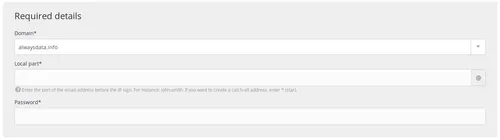
- Domain: the domain name for the address to create,
- Local part: the part to the left of the email address @ (e.g. if you wish to create
contact@example.org, the local part will becontact). You can also create a catch-all address. - Password: the password needed to connect to this email address.
Antispam
The antispam used to filter out undesired email advertising (spam) is the open-source software Rspamd.
Caution
The configurable antispam is the antispam of incoming mail. All outgoing emails from our servers are required to pass through a non-configurable antispam filter.
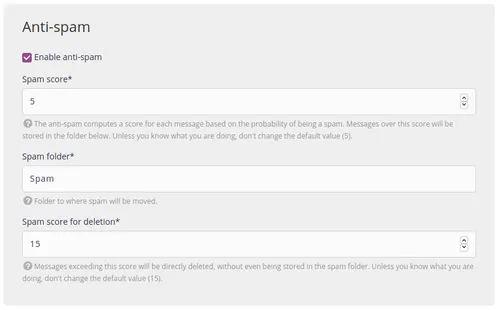
- Score: the antispam software assigns every message a score based on the probability of it being spam. Messages that exceed this score will be saved in a folder. The lower the score, the more likely an email will be marked out as spam, so it is preferable to leave the default value.
- Folder: the folder that spam is moved to. The default folder is
Spam. - Score for spam to delete: messages that exceed this score will be deleted immediately, without even being saved in the spam folder. Unless you are sure of what you are doing, leave the default value.
The ClamAV antivirus included to Rspamd is used to filter potentially infected email.
Purge folders
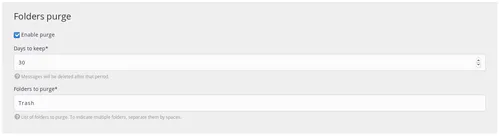
- Retain duration: after this time, the messages will be definitively deleted.
- Folders: list of folders to purge (separated by a space).
Note
This function is relevant when using the antispam and/or antivirus software: it is up to you to empty the folders regularly.
Redirect
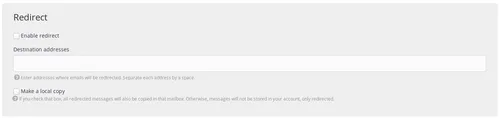
- Addresses: addresses that the emails will be redirected to (separated by a space).
- Local copy: by checking this box, all redirected emails will also be copied to this mailbox. If not, the emails will not be stored, simply redirected.
- If this box is not checked, we therefore create an alias.
Note
If you use the antivirus and/or the antispam software, emails considered to be fraudulent are never redirected to avoid passing on these bad messages to outside vendors.
Caution
alwaysdata's email servers are not necessarily authorized by the authentication rules (SPF, DKIM, DMARC) of the senders. This can block the redirections.
Auto-reply
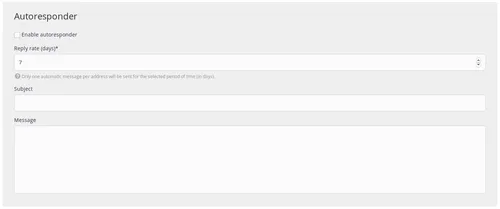
- Repeat frequency: only one automatic message per address will be sent for the entire duration of the period (in days).
- Subject: the automatic message subject.
- Message: the automatic message body text.
Quota

- Size: the maximum size of the mailbox, in MB (if this quota is reached, new messages will be rejected).
Note
If no maximum size is specified for a mailbox, then the space available in the pack will represent the ceiling.
Script Sieve
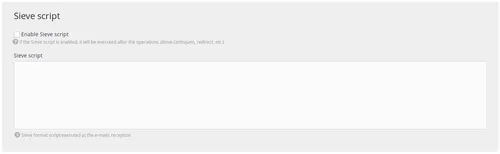
This technology is used to perform more precise operations when your messages are received. If you activate the Sieve script, then it will be run after all of the operations configured on the form creating your mailbox.